
The Compliance Plugin for Adobe That Ends Artwork Delays
Reglyr's compliance plugin for Adobe Illustrator and InDesign pushes approved regulatory text, warnings, and symbols directly into your design layouts — no copy-paste, no version drift, no missed retailer deadlines.

Compliance Approval Is Done. Artwork Is Still Waiting.
The gap between regulatory sign-off and final artwork is where delays, errors, and missed launch windows live. Design teams copy-paste approved warning text from emails, manually drop in regulatory symbols, and chase translators for 40-language label updates — every time a regulation changes. Reglyr closes this gap with native Adobe plugins for Illustrator and InDesign that pull approved translations, market-correct warnings, and regulatory symbols directly from the compliance engine into your live design files. When the compliance record changes, the design reflects it.
Direct text injection
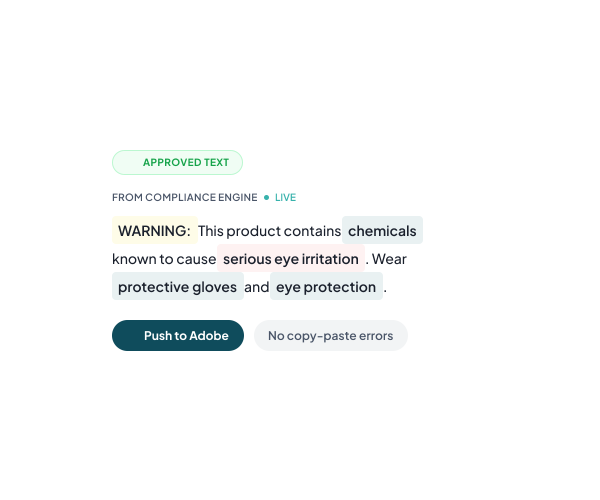
Push Approved Regulatory Text Directly
Reglyr's Illustrator and InDesign plugins pull compliance-approved warning text and mandatory statements directly into label layouts. The text originates from the compliance engine — not an email, not a spreadsheet — so design always works from the approved source.
- Approved text, not email drafts
- Works inside Illustrator and InDesign
- Eliminates manual copy-paste errors

Regulatory symbol accuracy
Correct Symbols Per Market
Regulatory symbols and warning marks vary by market and product category — CE, GPSR, recycling marks, and hazard symbols each carry specific format requirements. The plugin applies the correct symbol variant for each target market, removing the risk of using an outdated or wrong-jurisdiction mark.
- Market-specific symbol variants
- Covers CE, GPSR and more
- No wrong-jurisdiction marks
Translation engine integration
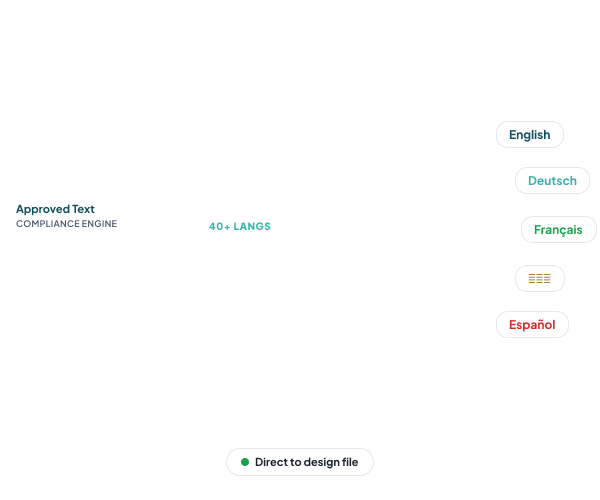
Translations Flow Into Design
Reglyr's [label translation engine](/features/label-translation-engine) generates regulatory text in 40+ languages with approved regulatory wording. The Adobe plugin connects directly to this output — translated label content flows into design files without a separate handoff step or manual re-entry.
- 40+ language label content
- Approved regulatory wording included
- No separate translator handoff
Artwork production workflow
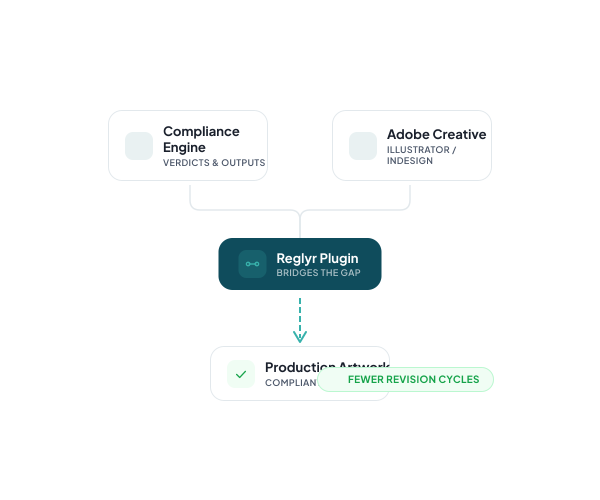
Close the Compliance to Artwork Gap
Artwork management tools like Esko or ManageArtworks handle file workflows but carry zero regulatory intelligence. Reglyr's plugins sit at the intersection: regulatory verdicts and generated outputs from the compliance engine flow directly into the design environment, removing the manual bridge between compliance approval and production.
- Regulatory intelligence inside Adobe
- Connects verdicts to design files
- Reduces back-and-forth revision cycles
See the Adobe Compliance Plugin in Action
Watch approved regulatory text, symbols, and translations push directly into a live Illustrator or InDesign file.
Book a Demo